为了实现评论回复的邮件提醒,除了安装Comment Reply Email Notification插件之外,还需要另外设置SMTP,不用代码的话还需要安装另外的插件。
我试着把SMTP的设置放在Comment Reply Email Notification中,
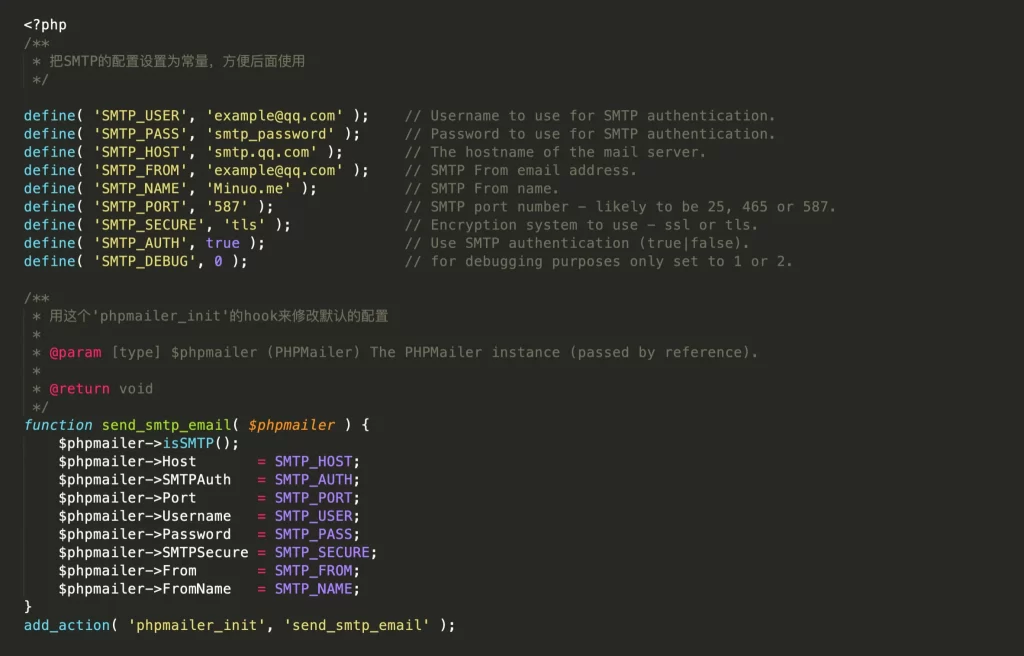
<?php
/**
 * 把SMTP的配置设置为常量,方便后面使用
 */
define( 'SMTP_USER', 'example@qq.com' );        // Username to use for SMTP authentication.
define( 'SMTP_PASS', 'smtp_password' );      // Password to use for SMTP authentication.
define( 'SMTP_HOST', 'smtp.qq.com' );           // The hostname of the mail server.
define( 'SMTP_FROM', 'example@qq.com' );        // SMTP From email address.
define( 'SMTP_NAME', 'Minuo.me' );              // SMTP From name.
define( 'SMTP_PORT', '587' );                   // SMTP port number - likely to be 25, 465 or 587.
define( 'SMTP_SECURE', 'tls' );                 // Encryption system to use - ssl or tls.
define( 'SMTP_AUTH', true );                    // Use SMTP authentication (true|false).
define( 'SMTP_DEBUG', 0 );                      // for debugging purposes only set to 1 or 2.
/**
 * 用这个'phpmailer_init'的hook来修改默认的配置
 *
 * @param [type] $phpmailer (PHPMailer) The PHPMailer instance (passed by reference).
 *
 * @return void
 */
function send_smtp_email( $phpmailer ) {
	$phpmailer->isSMTP();
	$phpmailer->Host       = SMTP_HOST;
	$phpmailer->SMTPAuth   = SMTP_AUTH;
	$phpmailer->Port       = SMTP_PORT;
	$phpmailer->Username   = SMTP_USER;
	$phpmailer->Password   = SMTP_PASS;
	$phpmailer->SMTPSecure = SMTP_SECURE;
	$phpmailer->From       = SMTP_FROM;
	$phpmailer->FromName   = SMTP_NAME;
}
add_action( 'phpmailer_init', 'send_smtp_email' );
你确定这段代码还能用?
经测试,可以正常使用,呵呵。
再来测试一下能不能用先。
好像没有收到管理员的提醒,换个用户试一下。
管理员帐户收到了新用户的回复审核的提醒。
新用户邮箱号输入错误,再试一下。
管理员帐户收到了新用户回复的提醒,此条测试新用户是否能正常收到管理员回复。
这个错误不应该呵。测试一下样式。
经测试,管理员可收到来自新用户评论的邮件提醒,新用户可以收到来自管理员的回复,